Keep Coffee Hot: Adjustable USB Mug Warmer for Desks
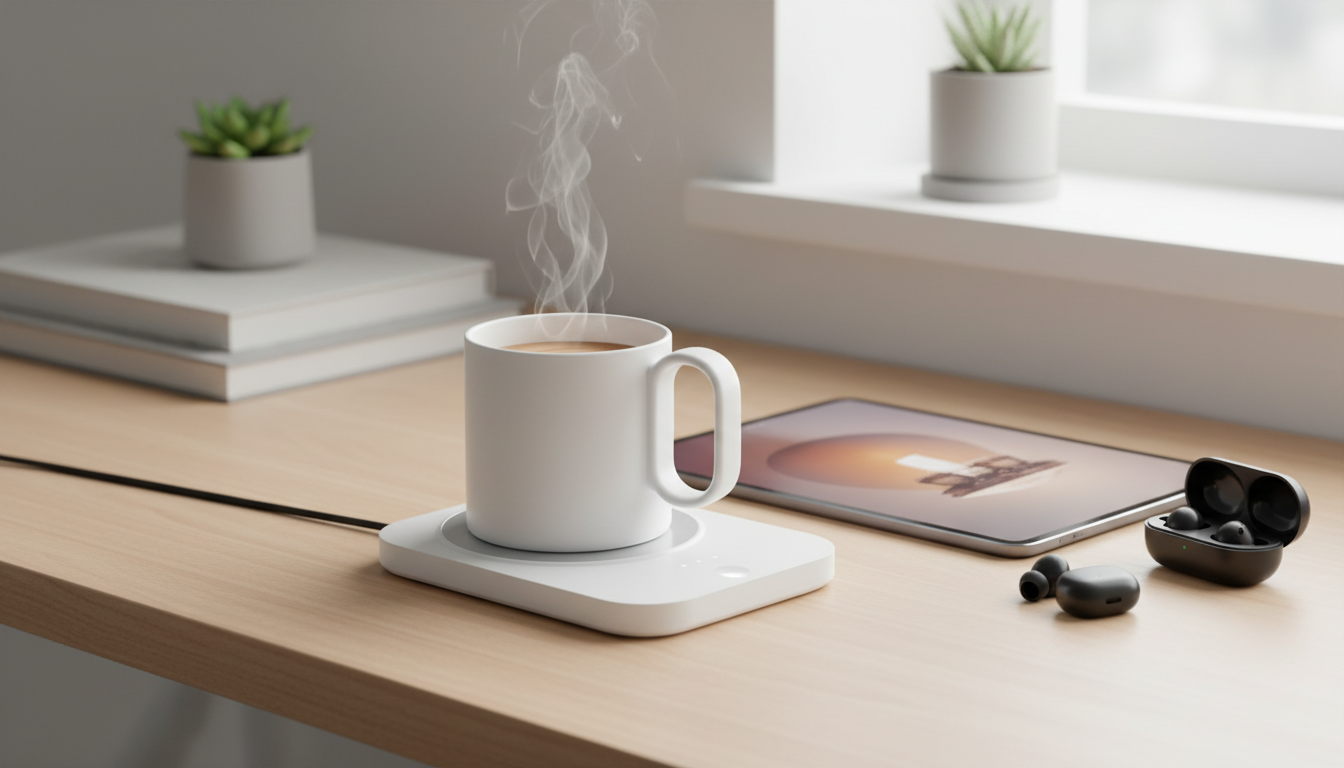
USB Coffee Mug Warmer with Adjustable Temperature Control: a simple way to keep drinks enjoyable
A mug warmer keeps coffee, tea, or cocoa comfortably hot through long meetings, study sessions, and slow mornings—without relying on repeated microwave trips. This adjustable USB heating coaster is designed for desk use at home or in the office, pairing simple controls with compact, plug-in convenience. Instead of racing to finish a drink before it cools, you can sip at a natural pace and still enjoy a satisfying last sip.
Why a mug warmer belongs on a desk
Desk time often stretches longer than a hot drink can hold its temperature. A USB mug warmer helps bridge that gap with steady, low-profile warmth that fits naturally into everyday routines.
- Helps maintain a steady drinking temperature so the last sip tastes like the first.
- Reduces reheating cycles that can dull flavor and overheat the mug.
- Supports focus during work blocks, gaming sessions, reading, or crafting.
- Useful for more than coffee: tea, matcha, hot chocolate, and warm water with lemon.
It can also make a workstation feel more comfortable in cooler rooms—especially when you’re stationary for long periods.
Adjustable temperature control: what it changes in daily use
Adjustable temperature control is what turns a basic hot plate into an everyday tool. Instead of one “on” setting, you can tune the warmth to match the drink, the mug, and your pace.
- Fine-tunes warmth to match beverage type (tea vs. coffee) and drinking pace.
- Helps prevent “too hot then too cold” swings that happen with periodic reheating.
- Works best when paired with a lid to reduce heat loss from steam.
- A stable, consistent setting is often better than constantly changing temperatures.
Common heat settings and when to use them
| Setting goal | Best for | Practical tip |
|---|---|---|
| Gentle warming | Already-hot drinks that cool slowly (black coffee, hot water) | Pre-warm the mug for a minute, then place the drink to hold temperature |
| Everyday sipping warmth | Tea and coffee over 30–90 minutes | Use a lid to keep heat in and reduce evaporation |
| Extra warmth for slow sipping | Large mugs, cooler rooms, extended desk sessions | Stir occasionally for even temperature throughout the mug |
For comfort and safety, keep in mind that hot liquids can cause burns if spilled or overheated; practical burn-prevention guidance is available from Mayo Clinic.
Power and placement: getting reliable heating from USB
USB power is convenient, but consistent heating depends on consistent power delivery and a stable setup.
- Plug into a stable power source (USB adapter, powered hub, or suitable USB port) for consistent output.
- Place the coaster on a flat, heat-resistant surface with airflow around it.
- Avoid soft surfaces (beds, couches) that can trap heat and reduce stability.
- Keep the cable routed away from chair wheels and high-traffic areas to prevent tugging.
If your desk setup feels crowded, consider basic workstation organization principles so the warmer sits where it’s reachable but not in the “spill zone.” General workstation and ergonomics guidance is available from NIOSH.
Mug and cup compatibility: what warms best
The mug is as important as the warmer. Better contact between the mug base and the warming surface generally means more even heat transfer.
- Flat-bottom mugs typically warm more evenly than curved or ridged bases.
- Thin-walled materials often heat faster; thicker ceramics may retain heat longer once warmed.
- A lid significantly improves performance by reducing heat loss from the top surface.
- Use the right size: the mug base should sit centered on the heating area for best contact.
If a favorite mug has an uneven base, it may still work, but you’ll usually get better results with a flatter-bottom cup and a lid that traps heat between sips.
Safety and care for everyday use
A USB mug warmer is straightforward to use, but it’s still a heating device. A few habits help keep daily use worry-free.
- Treat it like any heating device: keep away from paper stacks, cloth, and liquids near the connection point.
- Unplug when not in use for extended periods, especially overnight or while away from the desk.
- Let the surface cool before wiping; clean with a slightly damp cloth and avoid soaking.
- Use stable drinkware to reduce spill risk around keyboards, chargers, and power strips.
For a broader look at electrical safety standards and certification work, visit UL.
Home office routines that make it more useful
Product at a glance
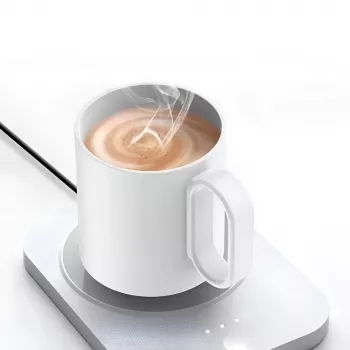
USB Coffee Mug Warmer with Adjustable Temperature Control – Home & Office Heating Coaster is designed to help keep beverages warm during desk work, studying, or relaxing at home. Its compact footprint makes it easy to place next to a laptop, monitor stand, or notebook without taking over the desk.
Quick details
| Detail | Value |
|---|---|
| Price | 41.67 USD |
| Availability | In stock |
| Where to find it | ExquisiteGembay product page |
More in-stock picks to round out your desk or gifting list
- Ride On Push Car for Toddlers
- Amazing Song Pudding Bag
- 1:14 Scale RC Excavator with 22 Channels and 680° Rotation
FAQ
Will a mug warmer reheat cold coffee?
A mug warmer is primarily meant to maintain warmth rather than quickly reheat a fully cold drink. It may raise the temperature gradually, but it works best when you start with a hot beverage and use a lidded mug to reduce heat loss.
What kind of mug works best on a heating coaster?
Flat-bottom mugs that make solid contact with the warming surface typically perform best. A lid improves results noticeably, while very thick or uneven bases can reduce heat transfer.
Is it safe to leave a USB mug warmer on all day?
Use it on a stable, heat-resistant surface, keep clutter away, and prevent liquids from pooling near the power connection. For longer unattended periods—like leaving the desk for hours or overnight—unplugging is a safer routine and aligns with typical heating-device best practices.







Leave a comment